Sui Sensor Storage DApp: Blockchain-Powered IoT Data Management
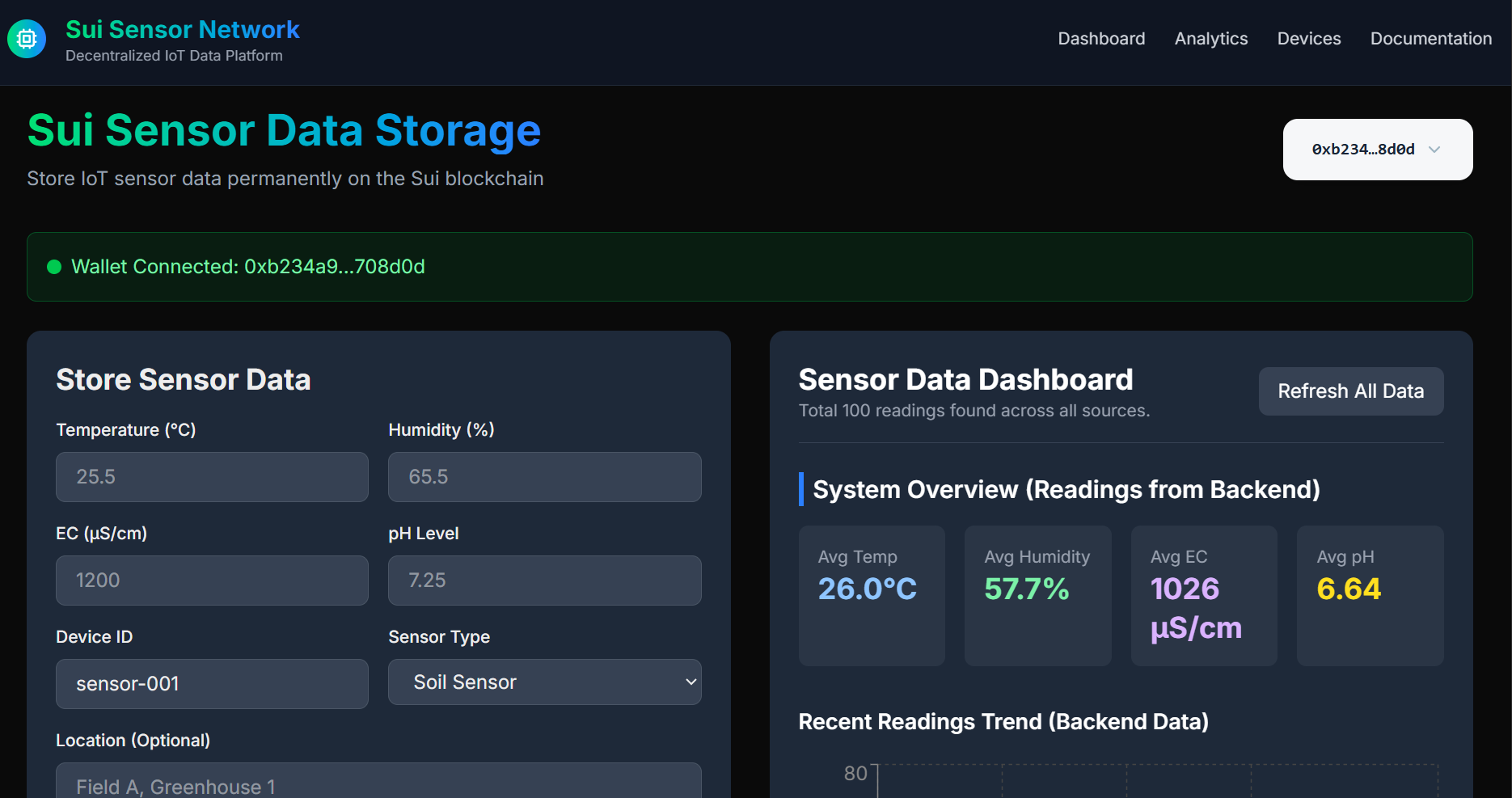
A decentralized application (DApp) for storing and visualizing IoT sensor data on the Sui blockchain. This project combines a Next.js frontend with a Move smart contract and supports three ESP32 integration approaches: on-device transaction building (advanced), offline signing (production), and server-side signing (development).
Project Overview
Sui Sensor Storage DApp: Blockchain-Powered IoT Data Management
Overview
A decentralized application for securely storing IoT sensor data on the Sui blockchain. This project combines a Next.js frontend with Move smart contracts and offers three ESP32 integration approaches suitable for different security and complexity requirements.
Key Features
Immutable Data Storage: Sensor readings stored permanently on-chain
Multi-Sensor Support: Temperature, humidity, EC, and pH measurements
Real-time Dashboard: Interactive data visualization with Recharts
Three Integration Approaches: From advanced on-device signing to simplified server-side solutions
Integration Approaches
Approach 1: ESP32 Builds Transaction (Advanced)
Best for: Research, education, maximum control
Flow: ESP32 builds transaction → ESP32 signs → Server executes
Benefits: Complete transaction transparency, maximum control, private keys never leave device
Approach 2: Server Builds, ESP32 Signs (Production)
Best for: Production deployments, high-security applications
Flow: ESP32 collects data → Server builds TX → ESP32 signs → Server submits
Benefits: Private keys stay on device, each device has unique blockchain identity
Approach 3: Server-Side Signing (Development)
Best for: Prototyping, testing, simple deployments
Flow: ESP32 collects data → Server signs and submits
Benefits: Simpler ESP32 code, lower memory requirements, faster implementation
When to Use Each Approach
Use Approach 1 (ESP32 Builds) when:
- You want maximum control over transaction structure
- Learning Sui's transaction format and BCS encoding
- Building research or educational projects
- Need custom transaction requirements
- Want complete transparency of what's being signed
- Have sufficient ESP32 resources (4MB+ flash)
Use Approach 2 (Offline Signing) when:
- Deploying to production environments
- Each device needs unique blockchain identity
- Security is paramount but simplicity preferred
- Transaction auditability is required
- Standard transactions are sufficient
- Devices have sufficient memory (>4MB flash)
Use Approach 3 (Server-Side Signing) when:
- Rapid prototyping or development
- Testing sensor integrations
- Resource-constrained devices
- Centralized management is acceptable
- Quick proof-of-concept needed
- Trust relationship with server
This project demonstrates practical blockchain integration for IoT devices, providing flexible security options while maintaining ease of use. Choose the approach that best fits your requirements: maximum security with offline signing, educational value with on-device building, or simplicity with server-side signing
Code Examples
Approach 1: ESP32 Builds Transaction (Maximum Control)
1#include "sui_transaction.h"
2#include <MicroSui.h>
3
4void submitWithLocalBuild() {
5 // Step 1: Get gas digest info from server
6 HTTPClient http;
7 String url = serverUrl + "/api/create-digest?senderAddress=" + myAddress;
8 http.begin(url);
9 int code = http.GET();
10
11 if (code == 200) {
12 String response = http.getString();
13 // Parse: gasObjectId, gasVersion, gasDigest (Base58)
14 DigestResponse digestInfo = parseDigestResponse(response);
15
16 // Step 2: Build transaction locally using BCS encoding
17 transaction_builder_t params = {0};
18
19 // Set package ID, module, function
20 bcs_hex_to_bytes(PACKAGE_ID, params.package_id, 32, &bytes_read);
21 params.module_name = "sensor_storage";
22 params.function_name = "store_sensor_data";
23
24 // Set sensor data
25 params.sensor_data.value1 = temperature; // in hundredths
26 params.sensor_data.value2 = humidity; // in hundredths
27 params.sensor_data.value3 = ec;
28 params.sensor_data.value4 = ph;
29 params.sensor_data.timestamp = getCurrentTimestamp();
30
31 // Set gas object from server response
32 bcs_hex_to_bytes(digestInfo.gasObjectId, params.gas_object.object_id, 32, &bytes_read);
33 params.gas_object.version = digestInfo.gasVersion;
34 base58_to_bytes(digestInfo.gasDigest, params.gas_object.digest, 32);
35
36 params.gas_budget = 100000000;
37 params.gas_price = 1000;
38
39 // Build transaction (BCS serialization)
40 char* txHex = nullptr;
41 size_t txHexLen = 0;
42 bcs_error_t err = sui_build_sensor_transaction(¶ms, &txHex, &txHexLen);
43
44 if (err == BCS_OK) {
45 // Step 3: Sign with MicroSui
46 MicroSuiEd25519 keypair = SuiKeypair_fromSecretKey(PRIVATE_KEY);
47
48 // Convert hex to bytes for signing
49 uint8_t txBytes[txHexLen / 2];
50 hexToBytes(txHex, txBytes, txHexLen / 2);
51
52 // Sign transaction
53 char signature_b64[256];
54 SignatureResult sig = keypair.signTransaction(&keypair, txBytes, txHexLen / 2);
55 bytesToBase64(sig.signature, sig.signatureLength, signature_b64);
56
57 // Step 4: Submit to execute-sponsored
58 http.begin(serverUrl + "/api/execute-sponsored");
59 http.addHeader("Content-Type", "application/json");
60
61 String payload = "{";
62 payload += "\"temperature\":" + String(temperature) + ",";
63 payload += "\"humidity\":" + String(humidity) + ",";
64 payload += "\"ec\":" + String(ec) + ",";
65 payload += "\"ph\":" + String(ph) + ",";
66 payload += "\"timestamp\":" + String(getCurrentTimestamp()) + ",";
67 payload += "\"signature\":\"" + String(signature_b64) + "\"";
68 payload += "}";
69
70 int submitCode = http.POST(payload);
71 if (submitCode == 200) {
72 Serial.println("✓ Transaction executed on blockchain!");
73 }
74
75 free(txHex);
76 }
77 }
78 http.end();
79}Approach 2: Server Builds Transaction (Offline Signing)
1#include <WiFi.h>
2#include <HTTPClient.h>
3#include <MicroSui.h>  // MicroSui library for signing
4
5// Your device's private key (store securely!)
6const char* privateKey = "your_private_key_here";
7const char* serverUrl = "https://your-server.com";
8
9void submitSensorDataWithSigning() {
10  // 1. Collect sensor data
11  float temperature = readTemperature();
12  float humidity = readHumidity();
13  int ec = readEC();
14  float ph = readPH();
15
16  // 2. Request unsigned transaction from server
17  HTTPClient http;
18  http.begin(serverUrl + "/api/build-tx");
19  http.addHeader("Content-Type", "application/json");
20
21  String payload = "{";
22  payload += "\"temperature\":" + String(temperature) + ",";
23  payload += "\"humidity\":" + String(humidity) + ",";
24  payload += "\"ec\":" + String(ec) + ",";
25  payload += "\"ph\":" + String(ph) + ",";
26  payload += "\"deviceId\":\"ESP32_001\",";
27  payload += "\"sensorType\":\"Soil Sensor\",";
28  payload += "\"location\":\"Field A\"";
29  payload += "}";
30
31  int httpCode = http.POST(payload);
32
33  if (httpCode == 200) {
34    String response = http.getString();
35    String txBytes = extractTxBytes(response);  // Parse JSON
36
37    // 3. Sign transaction using MicroSui
38    MicroSui sui;
39    String signature = sui.signTransaction(txBytes, privateKey);
40
41    // 4. Submit signed transaction
42    http.begin(serverUrl + "/api/submit-tx");
43    http.addHeader("Content-Type", "application/json");
44
45    String submitPayload = "{";
46    submitPayload += "\"txBytes\":\"" + txBytes + "\",";
47    submitPayload += "\"signature\":\"" + signature + "\"";
48    submitPayload += "}";
49
50    int submitCode = http.POST(submitPayload);
51
52    if (submitCode == 200) {
53      Serial.println("Transaction submitted successfully!");
54    }
55  }
56
57  http.end();
58}Approach 3: Server-Side Signing (Simplified)
1#include <WiFi.h>
2#include <HTTPClient.h>
3
4const char* serverUrl = "https://your-server.com";
5
6void submitSensorDataSimple() {
7  // 1. Collect sensor data
8  float temperature = readTemperature();
9  float humidity = readHumidity();
10  int ec = readEC();
11  float ph = readPH();
12
13  // 2. Send directly to server - server handles everything
14  HTTPClient http;
15  http.begin(serverUrl + "/api/sensor-data");
16  http.addHeader("Content-Type", "application/json");
17
18  String payload = "{";
19  payload += "\"temperature\":" + String(temperature) + ",";
20  payload += "\"humidity\":" + String(humidity) + ",";
21  payload += "\"ec\":" + String(ec) + ",";
22  payload += "\"ph\":" + String(ph) + ",";
23  payload += "\"deviceId\":\"ESP32_001\",";
24  payload += "\"sensorType\":\"Soil Sensor\",";
25  payload += "\"location\":\"Field A\"";
26  payload += "}";
27
28  int httpCode = http.POST(payload);
29
30  if (httpCode == 200) {
31    String response = http.getString();
32    Serial.println("Data submitted successfully!");
33    Serial.println(response);
34  } else {
35    Serial.println("Error submitting data");
36  }
37
38  http.end();
39}